 Aktapokus

An assistant that manages your computer, not one you operate.
Aktapokus isn't a closed product built by one company — it's an open ecosystem anyone can extend by writing and adding their own Tool, meant to grow through community contribution. The core runs fully locally, AI only produces a plan — it never does anything without your approval. Today it ships with example tools like file organizing, inbox cleanup, and meeting notes; but that's not the point — the point is that you can write your own idea/product as a Tool and drop it into this platform.
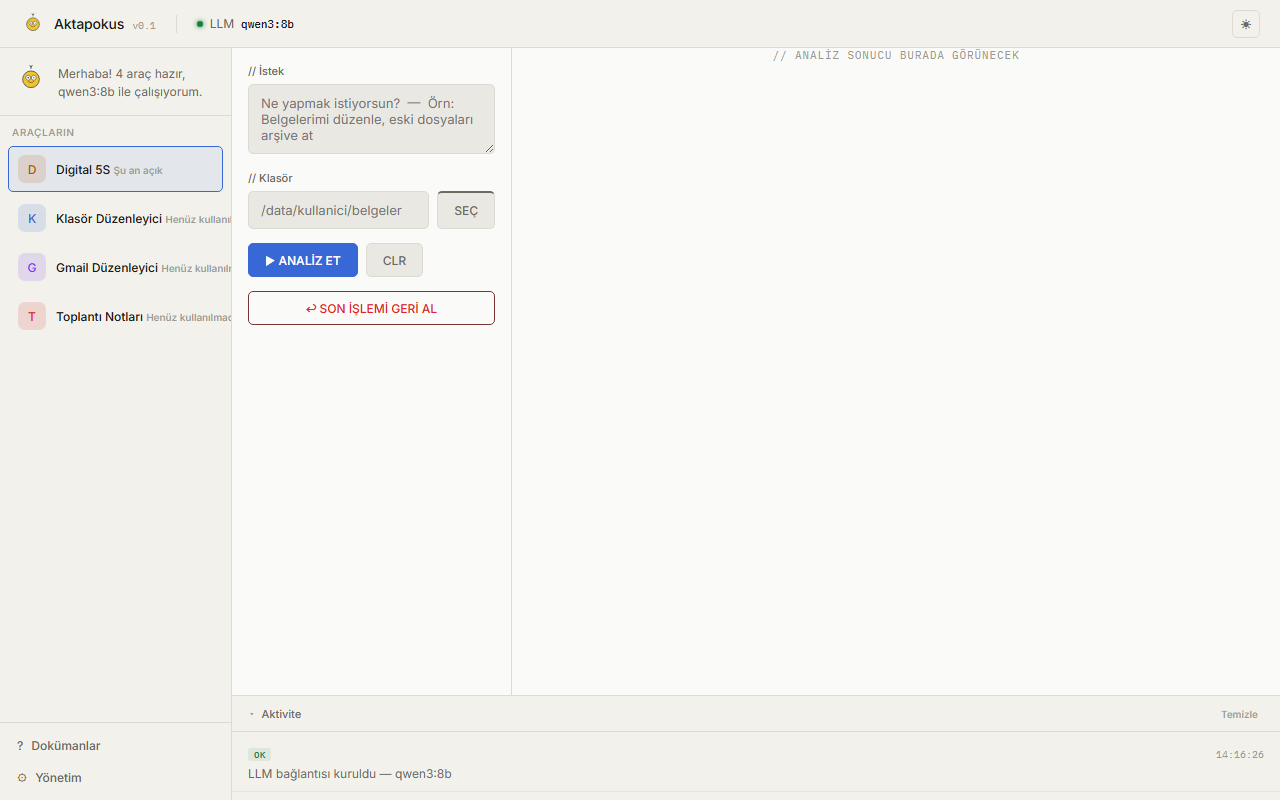
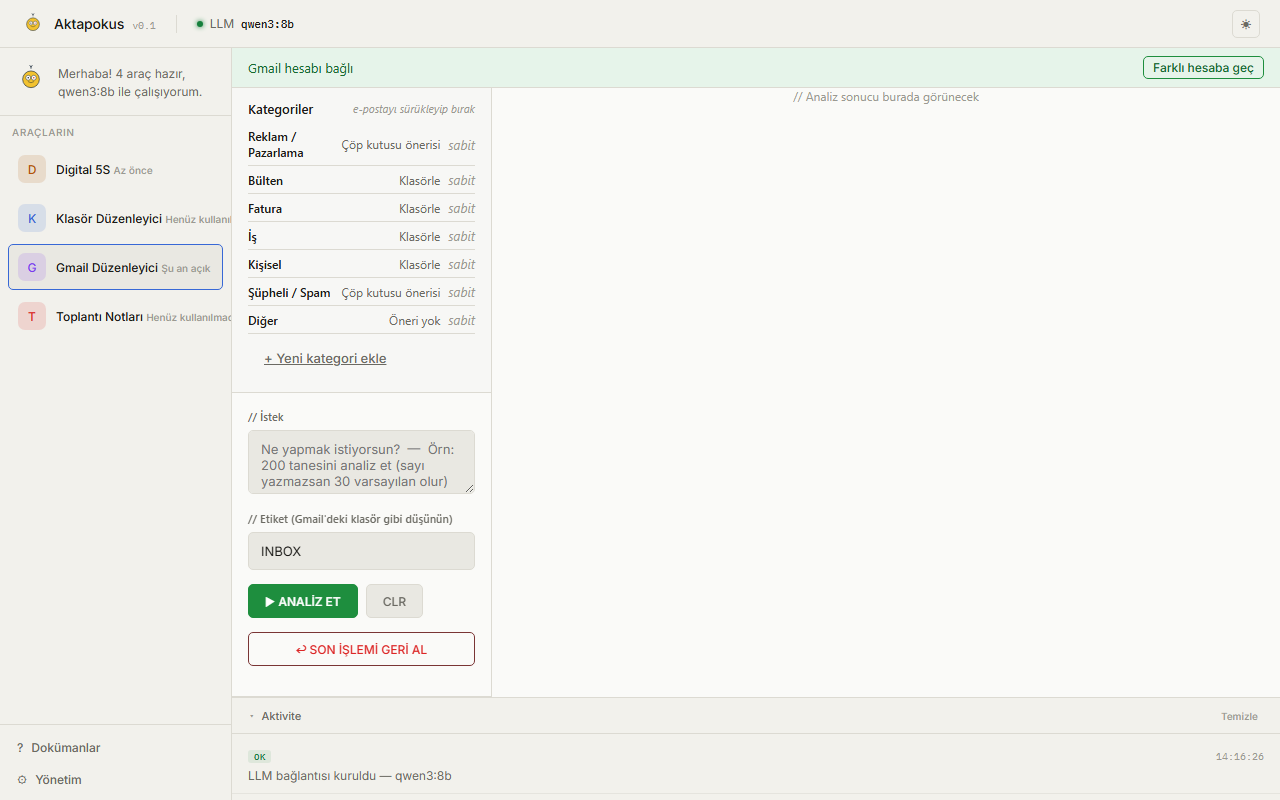
// Real interface
Screenshots — straight from the running system.
// Philosophy
Every change has to answer one question: "Does this genuinely make the end user's life easier?"
Local First
The system runs without an internet connection. The internet is only used for remote access, updates, and optional cloud services — no core feature ever depends on the cloud.
The AI only plans
The LLM is not the system — it only understands your intent, produces a plan, and picks the right tool. Actual actions (moving files, deleting, archiving email) are performed only by the Tool layer; the LLM can never touch the system directly.
Your approval is always required
Every operation follows the same sequence: Analyze → Plan → Suggest → User Approval → Execute → Verify → Log → Ability to Undo → Learn. This order never changes.
The core is free forever
No tool published under core.* can ever be paid — no exceptions. Community (community.*) tools are free to choose their own license and pricing.
Anyone can build a tool
Aktapokus isn't a closed product, it's a platform. The core is deliberately kept small — every new capability exists as an independent Tool that anyone can write in their own repo. The goal: an ecosystem built and grown by the community.
// Contribute
Write your own Tool, add it to the platform.
You don't need to touch the core's source code to write a Tool — there's a fixed packaging contract: tool.json, the web_analyze/web_execute/web_rollback functions, your own ui/panel.js. It lives in its own repo, and you choose your own license/pricing (community.*) — it can later be absorbed into core.* (and made free) by Core Team consensus if you want.
// Workflow
Every operation follows the same, unchangeable sequence.
// Model Independence
You're not locked into one model.
From the admin panel you pick ONE default model for the whole system (local Ollama, or cloud — OpenAI, Gemini, Claude via OpenRouter). Beyond that, a tool can request a different model when it needs to — this runs through a registry defined in core/models.json and does NOT change the default. API keys for these extra models are entered on the /settings page — no restart needed, effective immediately in the same session.
// Kids English
A free English word and lesson app for kids, with Aktapokus.
1,000 words, prepositions, question words and mini dialogues — all with pictures and sound. No install, no account, no ads; progress stays on the device. Opens in the browser, installs to the home screen like an app, and works offline.
// Keşif
Discovery instead of memorising, for Turkey's university entrance exams (TYT/AYT).
Each lesson takes about 25 minutes: a hook, an interactive exploration, then questions whose wrong answers explain where the thinking slipped. Maths (limits, the unit circle, exponentials and logarithms) and Turkish paragraph reading so far, in Turkish. An early work in progress: the curriculum mapping is not yet verified and no teacher has reviewed the content. No account, no ads; progress stays in your browser.
// Install
One core, as many tools as you want on top.
Aktapokus Core
The generic dispatcher that loads and runs tools. Docker, Ollama, admin panel, docs. Install this first — setup automatically pulls a general-purpose LLM model (qwen3:8b, ~5GB), so the first install can take 5-20 minutes depending on your connection.
Digital 5S
Comprehensive file-system analysis and organization using the 5S methodology. Score card, persistent history, HTML report.
Folder Organizer
A simpler, rule-based folder organizer. A lightweight alternative for cleaning up temp files and duplicates.
Gmail Organizer
Connects your Gmail account via OAuth to categorize and archive email. A self-learning, three-layer classification system.
// This list is fetched live from GitHub's public repos — nothing to edit by hand when a new tool goes public.
Clone and install the core
Clone aktapokus-core and run setup.bat — it installs Docker, Ollama and dependencies, and automatically downloads a general-purpose LLM model (qwen3:8b, ~5GB). The first install can take 5-20 minutes because of this — don't turn off your computer, it's a one-time download. Result: a core with no tools installed yet, but genuinely ready to run.
Clone the tool you want, separately
Only download the tool you actually need — no other tool's code ever touches your disk.
Run that tool's own setup.bat
It copies the files into the core's tools/<id>/ folder and restarts the container automatically. No manual file copying or Docker commands.
Open the interface
http://localhost:8000 — you'll see your new tool in the tool list.